Kilo Code Integration
Use OffRail with Kilo Code in VS Code. Built-in provider — just search, connect your API key, and start coding.
Kilo Code is an AI coding assistant that runs as a VS Code extension. It supports autonomous coding, file editing, terminal commands, and browser automation. OffRail is a built-in provider in Kilo Code, so setup takes under a minute — no manual base URL configuration required.
Prerequisites
- VS Code or a VS Code-based editor (Cursor, Windsurf, etc.)
- An OffRail API key — sign up free (no credit card required)
Setup
Step 1: Install Kilo Code
Open VS Code, go to the Extensions view (Ctrl+Shift+X / Cmd+Shift+X), search for Kilo Code, and click Install.
Alternatively, install from the VS Code Marketplace.
Step 2: Open Providers Settings
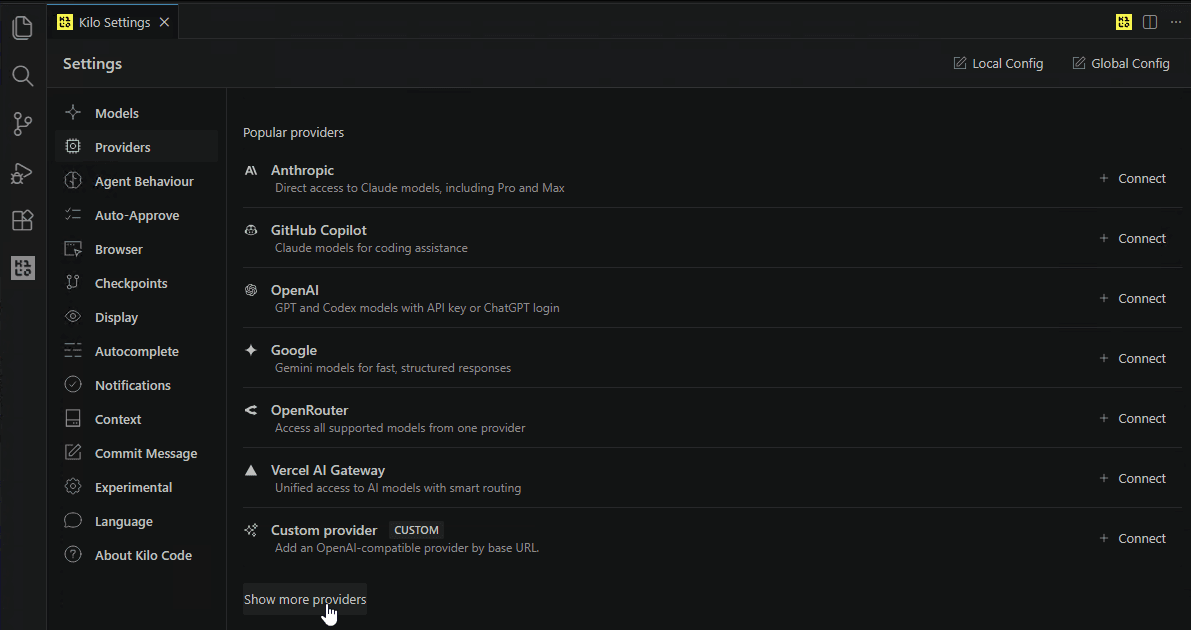
Click the Kilo Code icon in the VS Code sidebar, then open Settings > Providers. You'll see the list of popular providers:
Step 3: Find OffRail
Click Show more providers at the bottom of the list. In the "Connect provider" dialog, type llm in the search box — OffRail will appear:
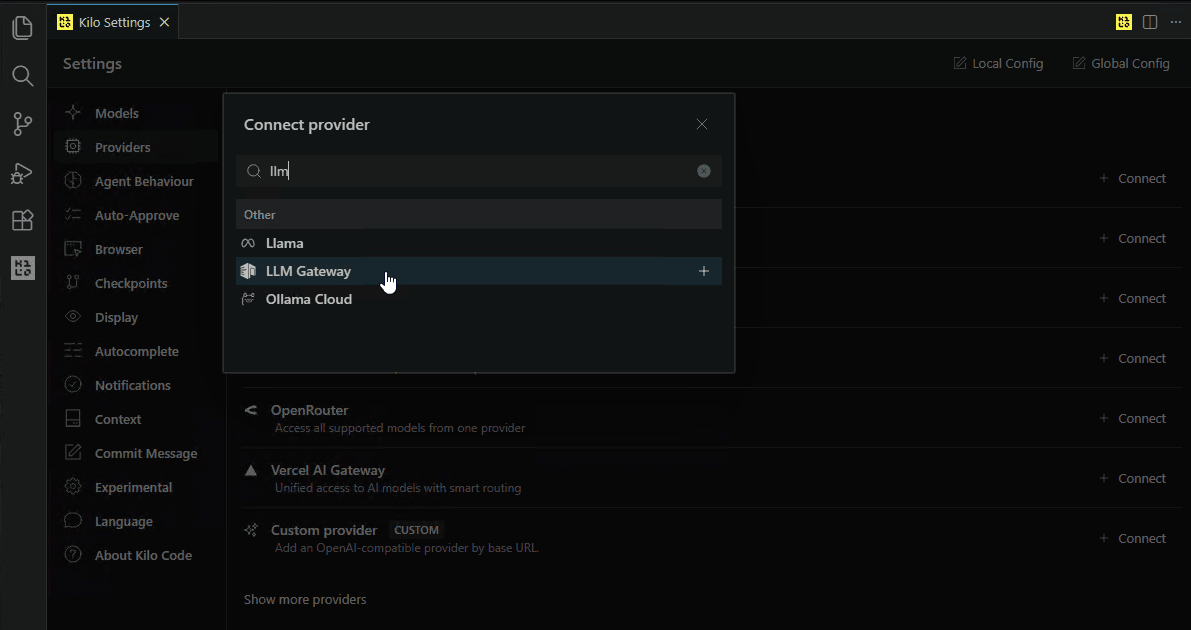
Click the + button next to OffRail.
Step 4: Enter Your API Key
Kilo Code will show the Connect OffRail dialog. Paste your OffRail API key (starts with orl_) and click Submit:
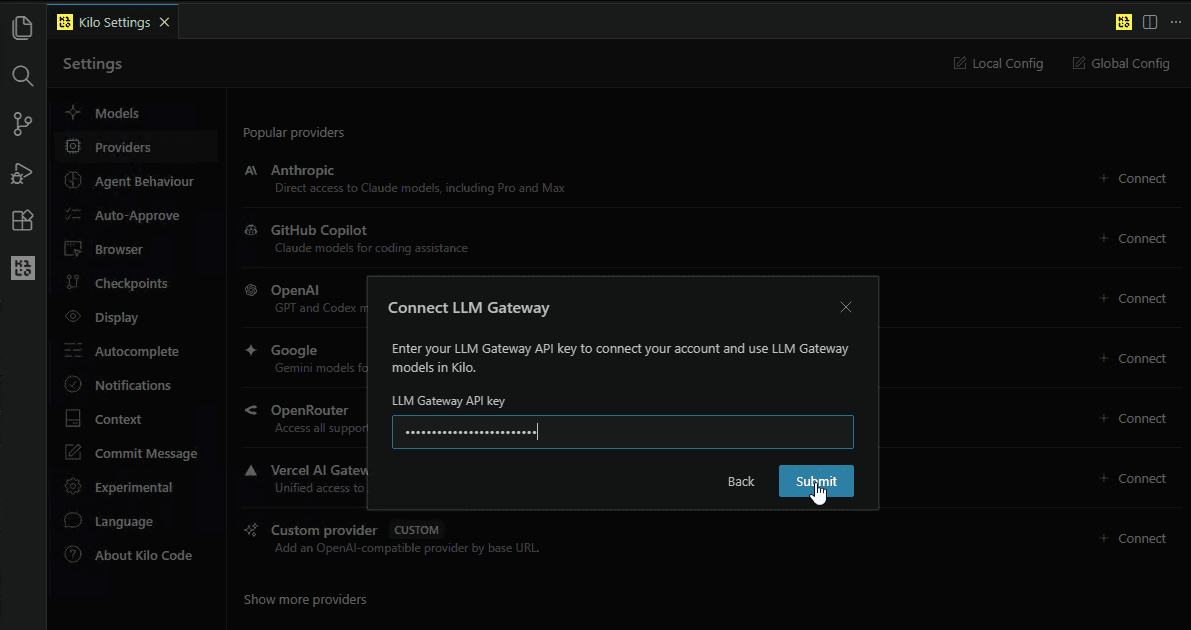
Sign up or log in to your OffRail dashboard and navigate to API Keys to get your key.
Step 5: Start Coding
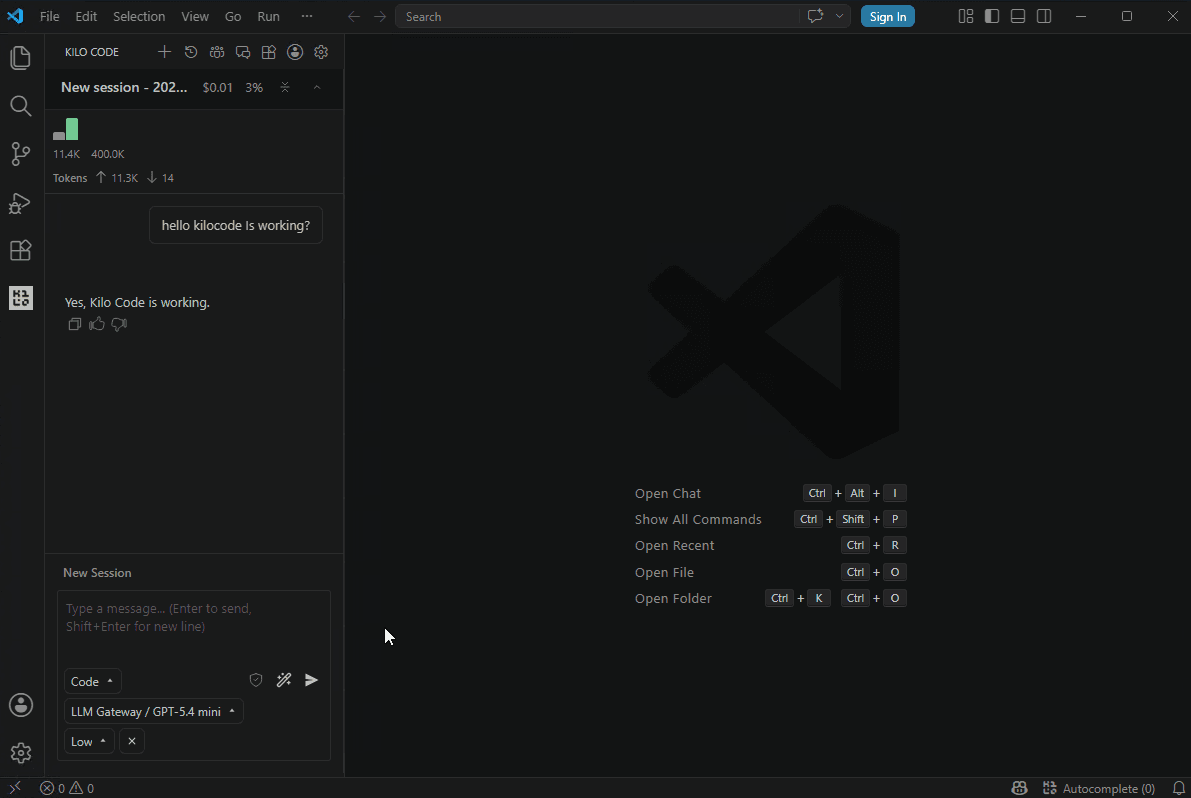
Once connected, select an OffRail model from the model picker at the bottom of the chat panel. All requests now route through OffRail — you'll see usage, costs, and logs in your dashboard:
Why Use OffRail with Kilo Code?
- 200+ models — Claude, GPT, Gemini, Llama, DeepSeek, and more from 40+ providers
- One API key — Stop managing separate keys for each provider
- Cost tracking — See exactly what each session costs in your dashboard
- Response caching — Repeated requests hit cache automatically
- Automatic fallback — If a provider is down, requests route to an alternative
- Volume discounts — Check discounted models for savings up to 90%
Features
Once configured, you can use all of Kilo Code's features with OffRail:
- Autonomous coding — Create and edit files, build features from natural language
- Terminal commands — Run builds, tests, and scripts directly from the chat
- Browser automation — Preview and interact with web apps
- Checkpoints — Save and restore session states
- Multiple modes — Switch between Code, Architect, Ask, and Debug modes
Switching Models
Click the model name at the bottom of the Kilo Code chat panel to open the model picker. Select any OffRail model — the switch takes effect immediately for the next message.
Troubleshooting
OffRail not in provider list
Click Show more providers at the bottom of the Providers page. In the search dialog, type "llm" or "gateway" to find it.
Authentication errors
Make sure your API key starts with orl_ and is active. Check your dashboard to confirm the key is valid.
Model not found
Verify the model ID matches exactly what's listed on the models page. Model IDs are case-sensitive.